
Before the Truck Arrives: Prevent LTL Shipping Errors
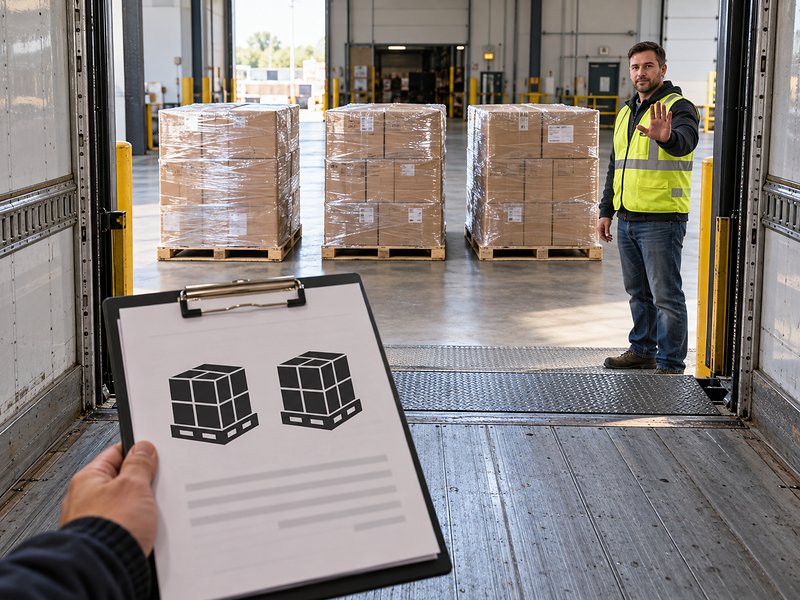
An LTL shipment can run into trouble before the truck reaches your dock. The quote may reflect an early version of the order, while the warehouse has prepared a different pallet count and the customer has added delivery instructions. When those details never reach the person booking transportation, a routine shipment can require last-minute corrections.
For small and mid-sized businesses, preventing LTL shipping errors starts with keeping shipment information consistent across sales, warehouse operations, and transportation. A clear process for confirming details and communicating changes can help reduce pickup complications, delivery delays, and billing discrepancies. Everyone involved needs to understand what is shipping and what is required to move it.
Where Shipping Information Gets Out of Sync
Consider a manufacturer shipping replacement components to a customer’s facility. Sales requests a quote for two pallets based on the original order. The customer adds more parts, so the warehouse builds a third pallet. A separate email explains that deliveries require an appointment and must arrive at a specific receiving entrance.
If transportation is booked from the original quote, the shipment record may still show two pallets and a general business address. The warehouse might correct its printed paperwork without notifying the logistics provider. Sales may assume the delivery instructions have already been shared. Each department has useful information, but nobody has confirmed the complete shipment.
These gaps can leave the carrier unprepared for the freight or the delivery location. Resolving them may require a revised quote, a scheduling change, or additional services. Catching the differences before pickup gives your logistics provider time to review the shipment and confirm the appropriate arrangements.
Build One Confirmed Shipment Record
Choose one place to maintain the current shipping information. That may be a transportation management system, a shared order record, or a standard shipment form. The person booking freight and the team preparing it should be able to access the same confirmed details.
Create a consistent set of required fields so employees know what to collect. For a typical LTL shipment, that includes:
- Locations: Pickup and delivery addresses, including the correct receiving entrance or suite.
- Contacts and schedules: Names, phone numbers, operating hours, and appointment requirements.
- Freight details: Final pallet or handling-unit count, packaged dimensions, and gross shipment weight, including pallets and packaging.
- Commodity information: Accurate product descriptions and applicable freight classification information.
- Service requirements: Equipment or services needed, such as a liftgate at a location without a loading dock.
- References and instructions: Purchase order numbers, delivery references, and relevant handling requirements.
Recurring shipments still need review. A saved record can reduce retyping, but an old contact number, outdated product specification, or changed receiving schedule can carry the same mistake into the next booking. Confirm what has changed rather than assuming a familiar shipment is identical.
Give Shipment Changes a Clear Owner
Designate one person to coordinate the shipment’s final details, along with a backup for absences. Sales and warehouse staff should know whom to notify when an order changes. That person should be responsible for communicating the update to the logistics provider and confirming any necessary adjustments.
Set an internal checkpoint before booking or releasing freight. If the warehouse adds a pallet, changes the packaging, or discovers different dimensions after that checkpoint, the shipment owner should review whether the booking and documents need updating. Customer requests that affect delivery should follow the same process.
Sending an update is only part of the task. Confirm that the logistics provider has received the revised information and reviewed any effect on pricing or service. A note added to warehouse paperwork does not establish that the transportation arrangements have changed.
Match the Quote and Bill of Lading to the Freight
Before pickup, compare the prepared shipment with the details used for the quote and booking. Check that the bill of lading (BOL) reflects the current freight and instructions. If the shipment has changed since it was quoted, ask your logistics provider to review the changes before loading.
Pay particular attention to quantities and weights. A customer order might list 40 cartons, while the freight is tendered on two pallets. Record pallet and carton quantities clearly in the appropriate fields so everyone understands what is being shipped. Use the packaged shipment’s actual weight and dimensions rather than relying on product-only figures.
Keep the current BOL available to the shipping team and remove superseded copies from the pickup paperwork. This helps prevent an earlier version from reaching the driver after someone has already corrected the booking.
Use a Final LTL Shipping Checklist Before Pickup
A brief final review can become part of your normal shipping routine. Before releasing freight, have the shipment owner or a designated warehouse employee confirm the following:
- The prepared freight matches the booked pallet count, packaged dimensions, and weight.
- The current BOL and shipping labels show the correct shipment and destination.
- Receiving hours, contacts, delivery references, and appointment requirements have been verified.
- Required equipment and special services have been communicated and confirmed.
- Changes made since booking have been reviewed with the logistics provider.
When a detail does not match, resolve it before loading. Waiting until the driver arrives can leave less time to clarify instructions or adjust arrangements. Keep the final shipment record available afterward so your team can answer delivery questions and review any invoice discrepancies.
Support Accurate Shipping Information With the Right Tools
A transportation management system can help reduce repeated data entry and keep shipping records accessible. Amware’s AmRate platform includes automated bills of lading and shipping labels, saved quotes, product information, and BOL history. These tools support a more consistent workflow when the information entered is current and accurate.
Amware combines transportation technology with experienced logistics support to help businesses coordinate their shipments. If order changes or scattered instructions regularly create problems for your team, reviewing the handoffs is a useful place to start. Explore AmRate to see how centralized shipment management can support your shipping process.